
PoE Camera Won’t Power On? Test the Port, Cable and Power Budget
Recent Posts
-
-
-

-
-


Popular Posts
-

-
-

-
-


A camera that never starts and one that restarts when its infrared lights come on can look identical on a recorder. Watch one full start-up at the switch. Note whether the port detects a powered device, whether it grants power and whether the camera stays on long enough to establish an Ethernet link.
1. Can this port supply this camera?
Read the power section of the camera’s data sheet. Find the supported PoE standard and the maximum demand with the installed accessories. A PTZ camera with its heater running can draw more than the same camera sitting still on a warm bench.
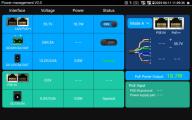
- At a switch or NVR, check that this particular port provides PoE and that PoE is enabled. Compare the port’s limit and the switch’s remaining power budget with the camera requirement.
- At an injector, trace the leads. The camera belongs on the powered output and the network uplink on the data input. Use a power mode the camera manufacturer lists. An RJ45 connector alone tells you nothing about compatibility with passive power.
2. Will it start on a short patch cable?
- Connect the same camera to the same port with a short cable that has already powered a working camera. Allow the normal boot time.
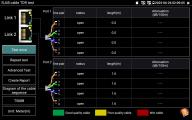
- If it starts, put the installed run back in circuit. A repeatable failure on that run points to its plugs, patch leads or cable. Inspect one section at a time.
- If it still stays off, keep the short cable and try a second port with the required PoE capacity. A successful boot here gives you a reason to check the original port’s configuration and power events.
3. Does power hold when the load rises?
If the fault happens at dusk, repeat the camera’s normal day-to-night transition. Watch the switch’s power status and the camera’s uptime together. A fresh boot at the moment the switch withdraws power is a different fault from a brief black frame while the camera changes imaging mode.
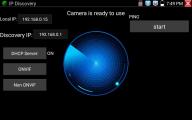
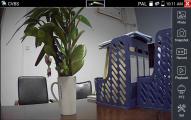
Finish at the installed port. Verify that live video returns and stays available through the condition that caused the fault. If the camera stays powered but never appears in the recorder, continue with the camera discovery checks.
To work through every layer from power to the recorder in one pass, use the IP camera no-video troubleshooting guide.